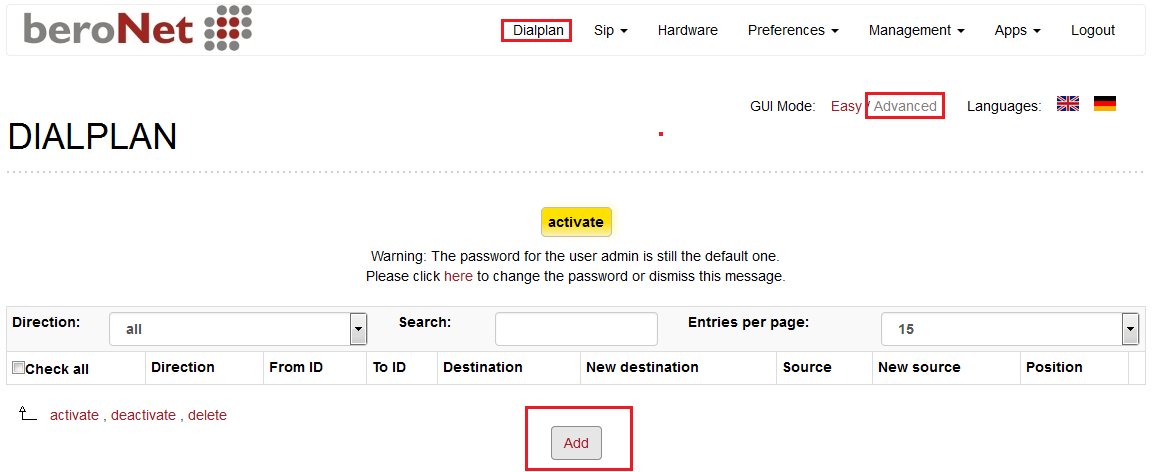
Step 1: Click below link to download CloudNippon SIP profile:
https://beronet.atlassian.net/wiki/pages/viewpage.action?pageId=58163263
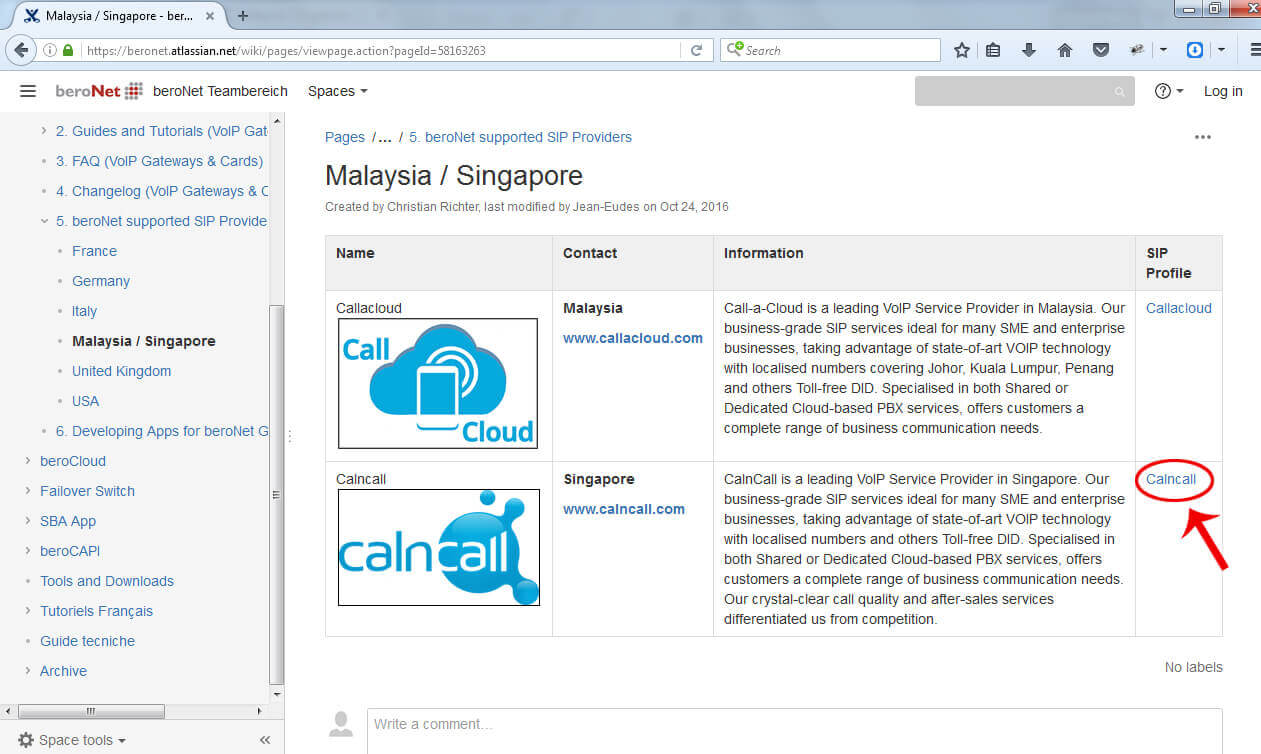
Step 2:
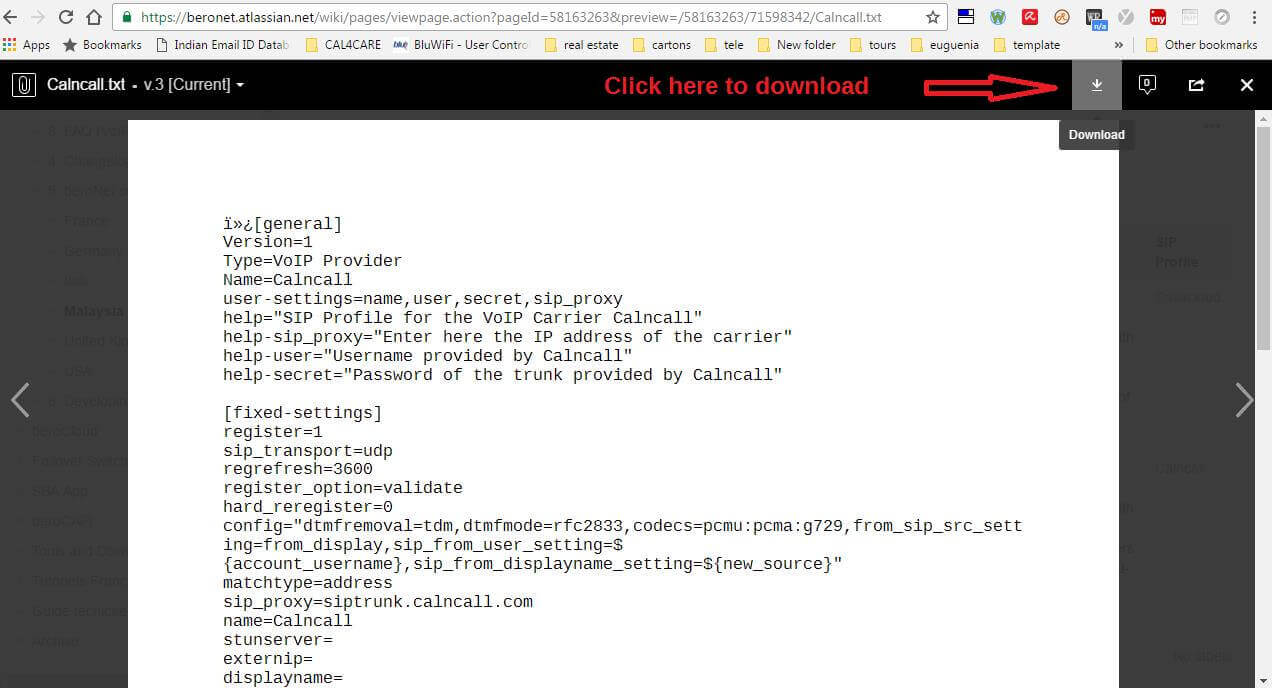
Step 3:
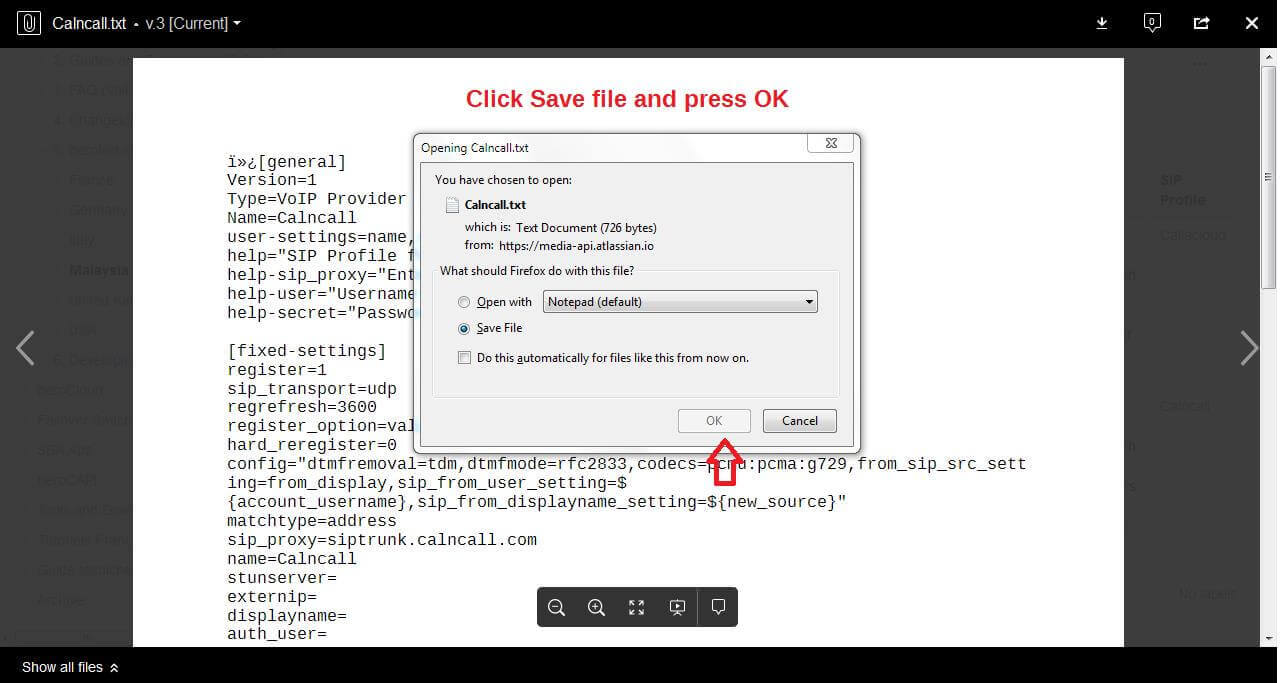
Step 4:
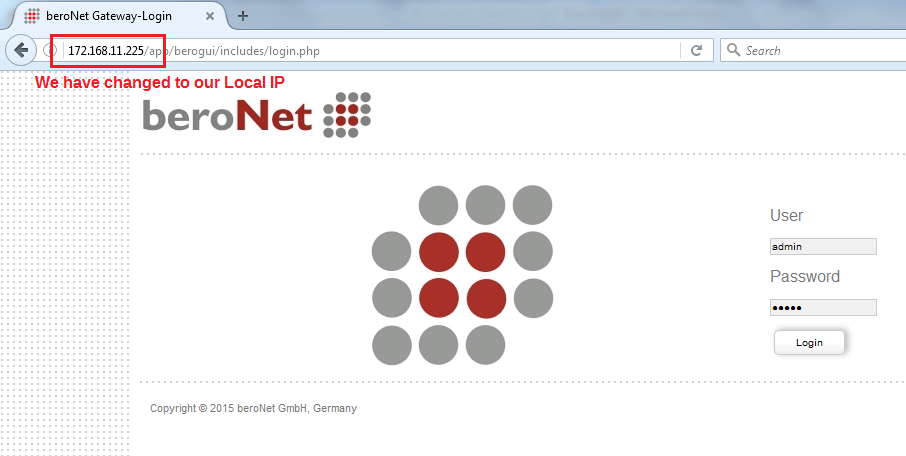
Please login into beroNet Gateway
Default IP: 10.0.0.2
Username: admin
Password: admin
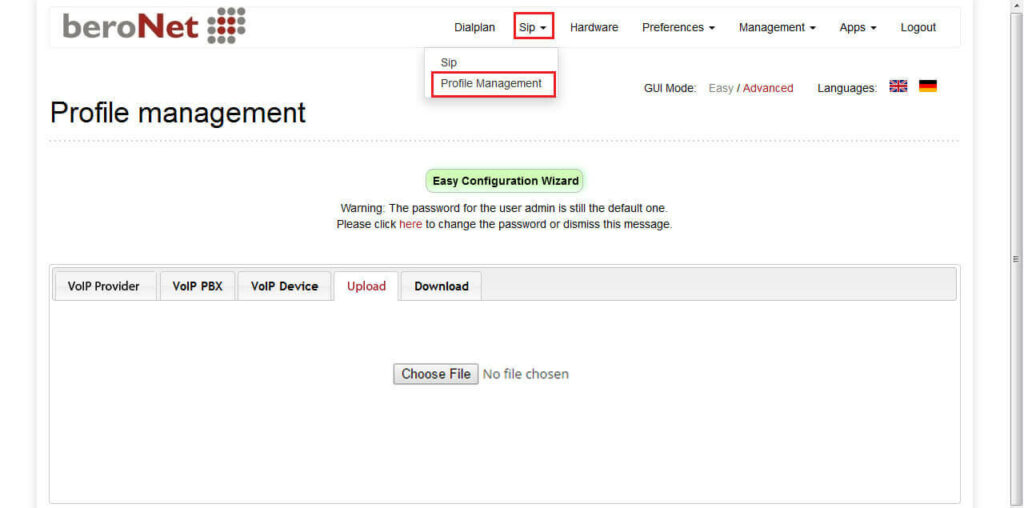
Step 5: We must need firmware 16.x to upload the CloudNippon SIP Profile.
We have to upload the CloudNippon SIP profile under SIP profile management as shown below.
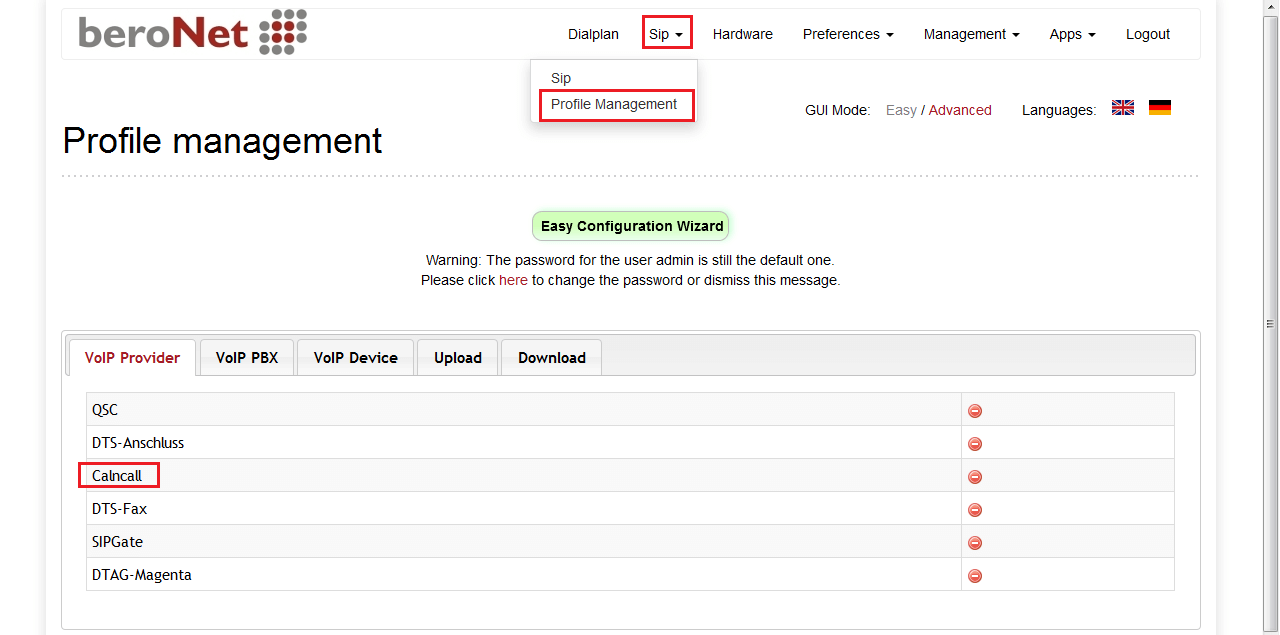
Step 6: Now you can able to see the CloudNippon SIP profile under VoIP provider as shown below.
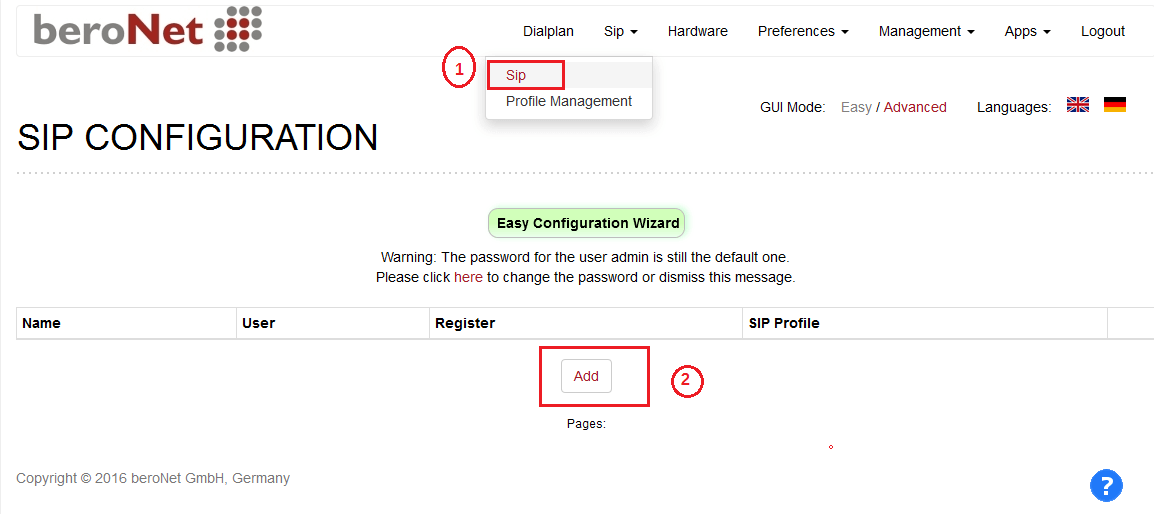
Step 7: Go to Sip –> Press Add button
Step 8: Select SIP profile –> VoIP Provider –> CloudNippon–> Press Next button
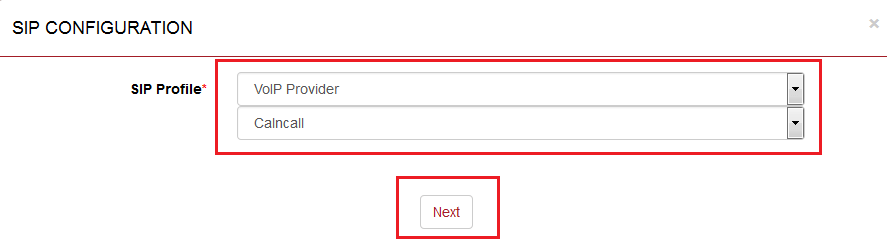
Step 9: To get CloudNippon Account Details, please contact http://www.cloudnippon.com/
Step 10:
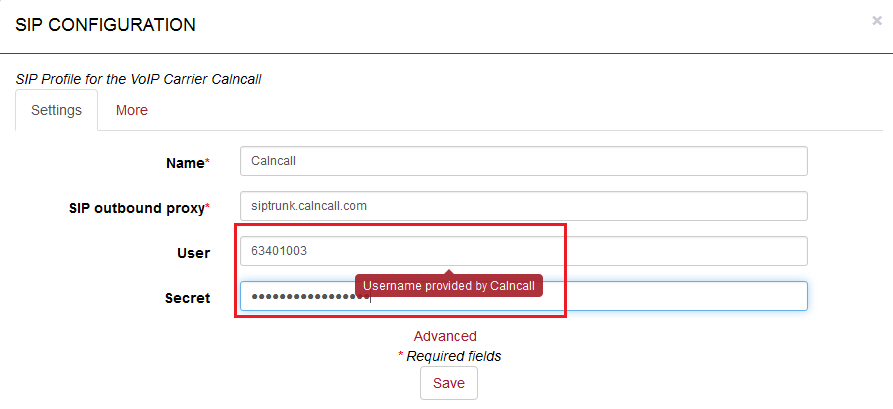
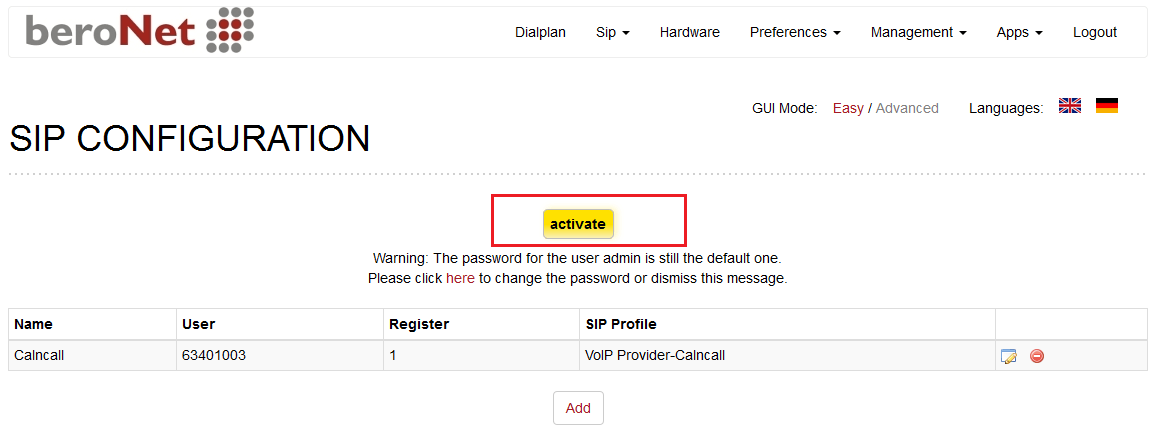
Step 11: To apply the settings click activate button.
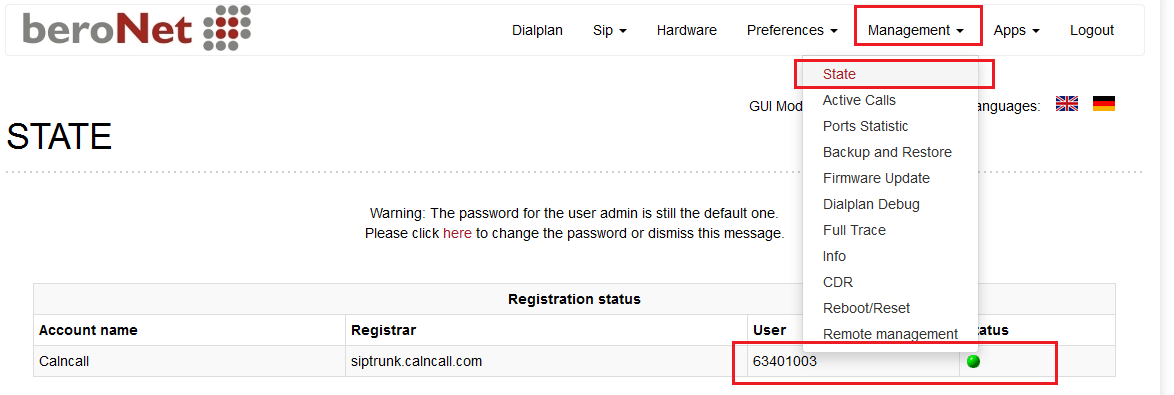
Step 12: To see the CloudNippon SIP Trunk registration status Go to Management –> State
Step 13: In order to make / receive calls via CloudNippon SIP Trunk as shown below figure.
For more details about BeroNet dial plan, please visit:
http://www.beronet.com/understanding-the-beronet-dialplan/